
Filter results
Vulnerability data usually is mass data. Hence you almost certainly will have to skim through a host of single records within a package. Here, a powerful filter comes in handy that allows you to select individual values of an attribute or search for a desired value.
 Prerequisite: you have already mapped a process with attached files.
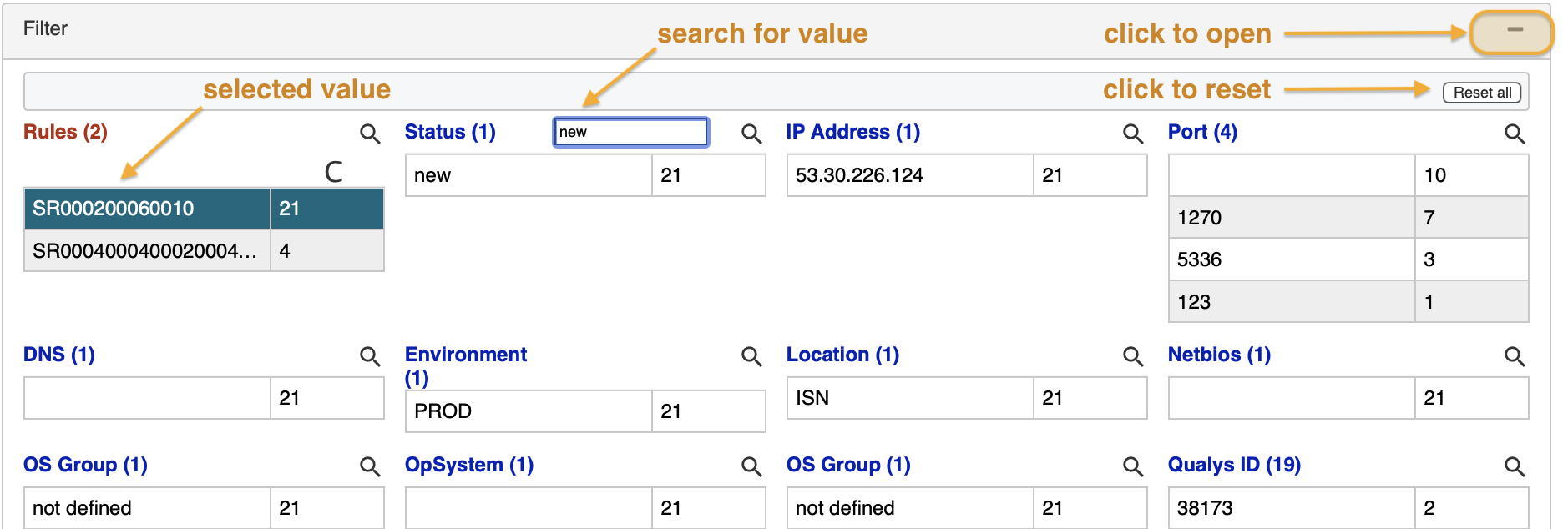
To open the filter panel click on the right hyphen-minus symbol. You see a list of all attributes present in the file.
You have two options to select filter values:
- for any attribute click on a value.
- search for a value by entering a search string in the text box and then click on a value.
For a more in-depth coverage of the filtering feature refer to the report filter section.
updated on: 5/9/2019 ⏐updated by: Wolfgang Stoettner ⏐ v1.0.1