
Filtering and selecting vulnerabilities
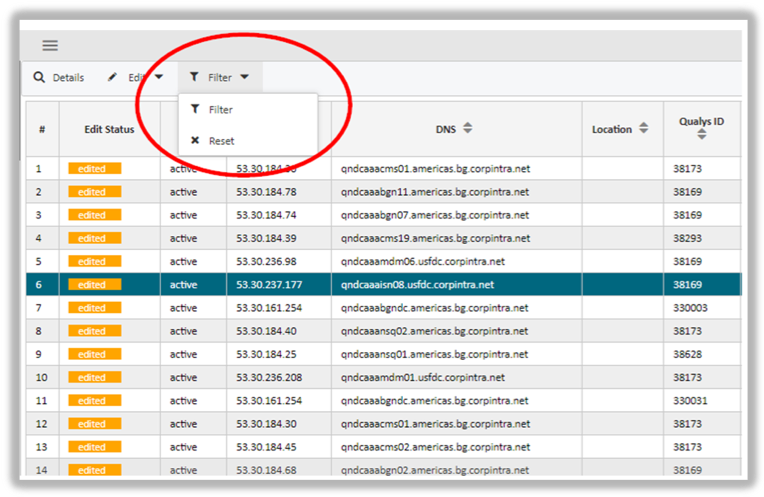 The amount of vulnerabilities can become overwhelming. In order to conveniently select or filter only the vulnerability line items of your choice, the app has a powerful selection feature in store for you.
The attributes we use to reduce the amount of vulnerabilities we want to focus on are called selection criteria.
To start your selection hit the Filter button on the top menu bar. A drop-down window gives you the option to enter the selection screen (Filter) or to delete all previous saved filters by hitting Reset.
If you selected the Filter option you are presented with a wide screen that gives you all selection criteria that can be used to narrow down our search.
Each selection criteria is highlighted in light-blue. Underneath each selection criteria you find the corresponding values by which you may narrow down your search.
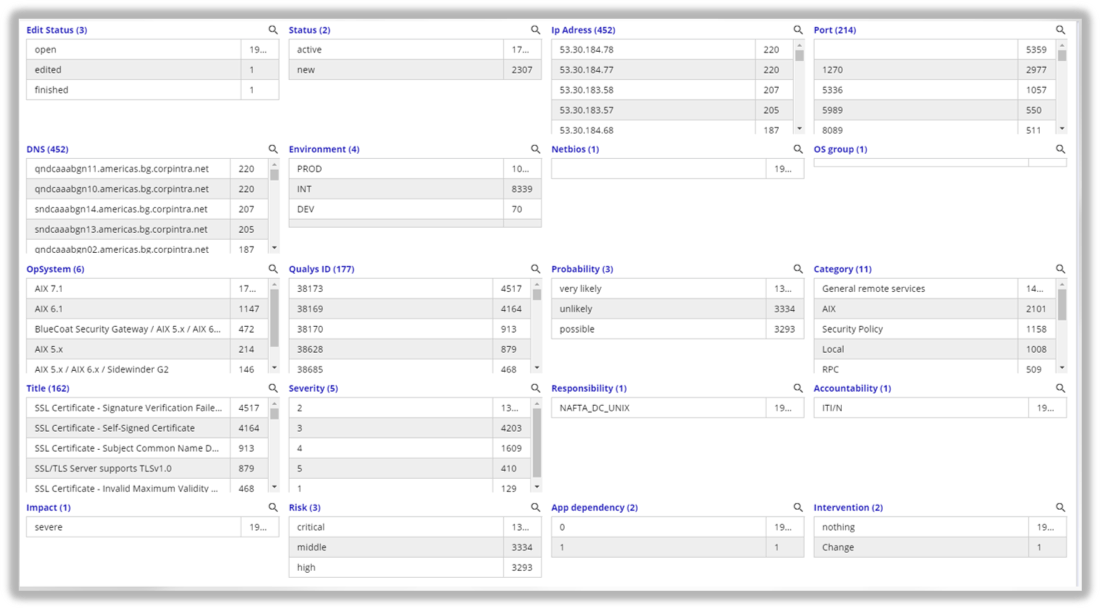
The filters offer both direct value selection or a text search using a filter box. To use the filters effectively you have two options depending on the number of criterion values.
If the criterion has few values you can directly highlight the filter value. This marks it as selected. The pursuant search would then restrict all vulnerabilities by this value and leave out the rest.
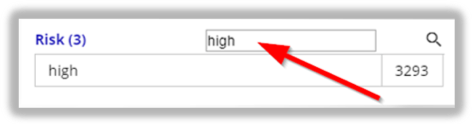
Has the criterion many values instead, you may enter your search string in the text search situated right to the blue criterion. Entering a text string automatically filters by the values that match the string.
Examples:
Selecting a value directly by highlighting it. |
Selecting a value by entering a search string int the text box |
|
|
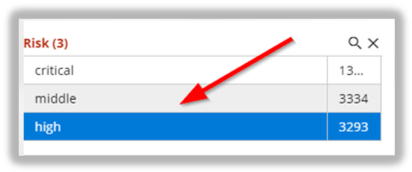
If you decide to delete selections within this filter window you have two options:
First, you may delete filters individually. To do so click on the X button on right side of the selection criteria as shown in the illustration. This will reset this single criterion in such a way that a pursuant search includes records for all values of this criterion.
Secondly, you may delete all filters at once. You achieve this by hitting the Reset all button on the upper right-hand corner of the window. Consequently, all restrictions for all selection criteria are deleted. As search would deliver all records without any restrictions.

 Please note: It goes without saying that an unfiltered search would indeed submit all values, however, the result will still be restricted by the authorization of the TSO user.
updated on: 5/9/2019 ⏐updated by: Wolfgang Stoettner ⏐ v1.0.1