
How to save frequently used filters
If the same filters should be applied frequently you have the option to save it for later use. In a first step you apply all filters that you deem necessary as described beforehand.
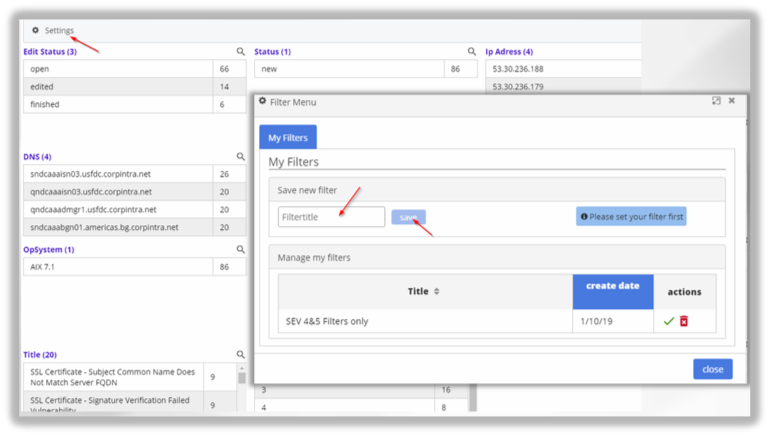
Once done, select the Settings represented by the gear wheel in the top left corner. In the following filter menu give the filter a name and save it. To call it up later enter the Settings dialogue and select your filters from the lower part of the window.
updated on: 5/9/2019 ⏐updated by: Wolfgang Stoettner ⏐ v1.0.1