
Apply and approve
In the event you have successfully checked and verified the entirety of your rules, you would proceed to the final step. That is, publishing the result of the Attribution to the company's organization.
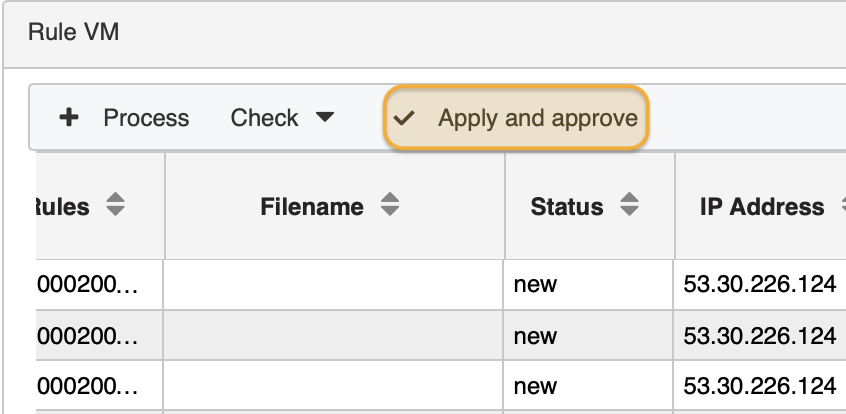
To release the enriched alert files to the organization click the button Apply and Approve.
 Important: this function immediately releases information to all listed company contacts responsible for vulnerabilities. Hence, handle this function with care.
What is the difference between tested rules and approved rules?
Although you were able to inspect the rules' result in the result table, they were not persisted, that is, not written to the database. Once you left the module Rule Verify, all test results are purged.
Conversely, when clicking Apply and Approve the status of the process switches to the next status called approved. To check whether the status has been toggled correctly call up module Process Manager and check the section Process Table.
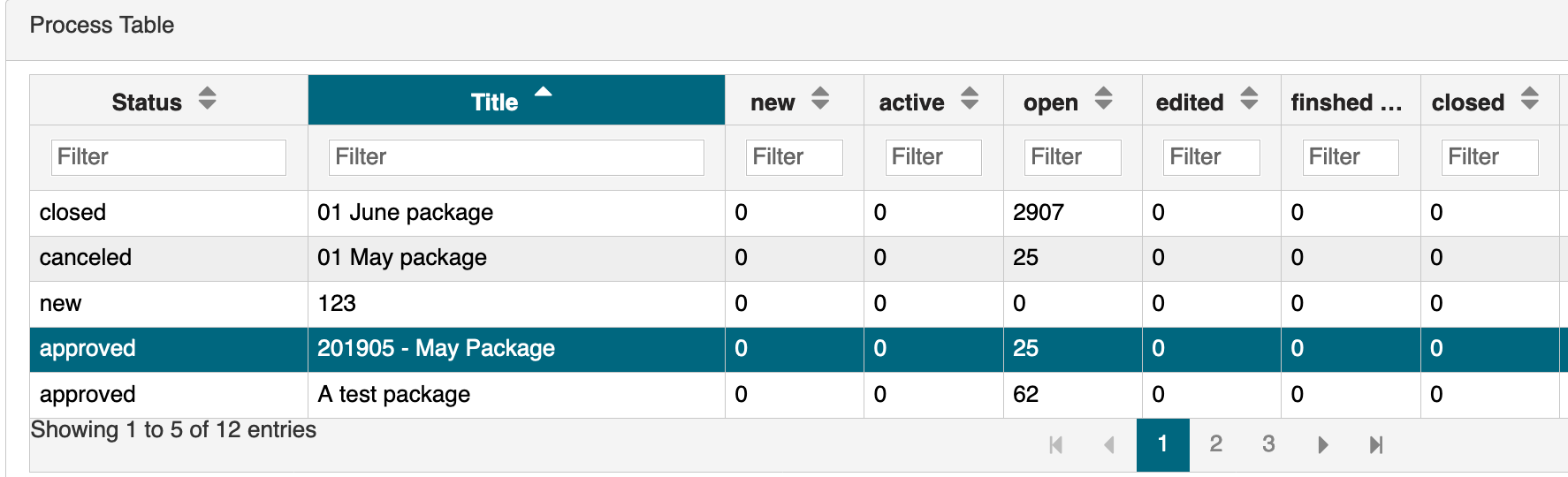
You will see that in column Status the process is now in state approved.
updated on: 5/9/2019 ⏐updated by: Wolfgang Stoettner ⏐ v1.0.1