
View rule details
The purpose of this procedure is to inspect the details of a packages records, say, in order to check whether attributes have been set correctly.
 Prerequisite: you have already mapped a process with attached files.
Clicking on a package selects the package for later rule check. Now the package contents are broken down into individual lines which are the actual single alerts. They have various attributes listed in columns like file name, IP address, and so forth.
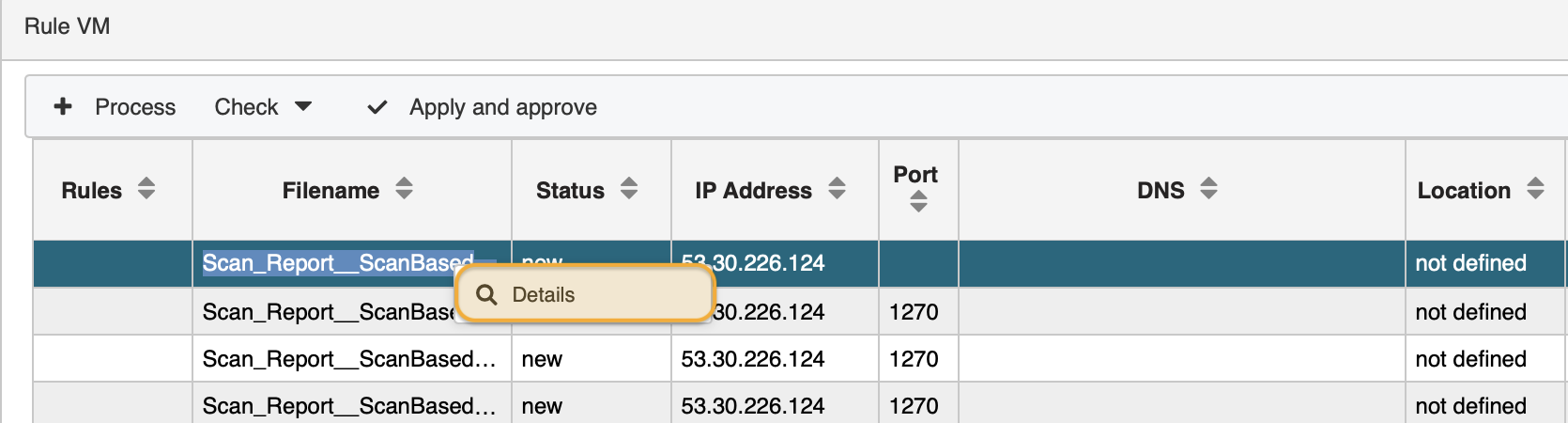
Though you can scroll horizontally to inspect all attributes along the columns, you might as well call up the detail view of a single alert. Go ahead, select a single alert record, secondary click or right-click on it and select Details.
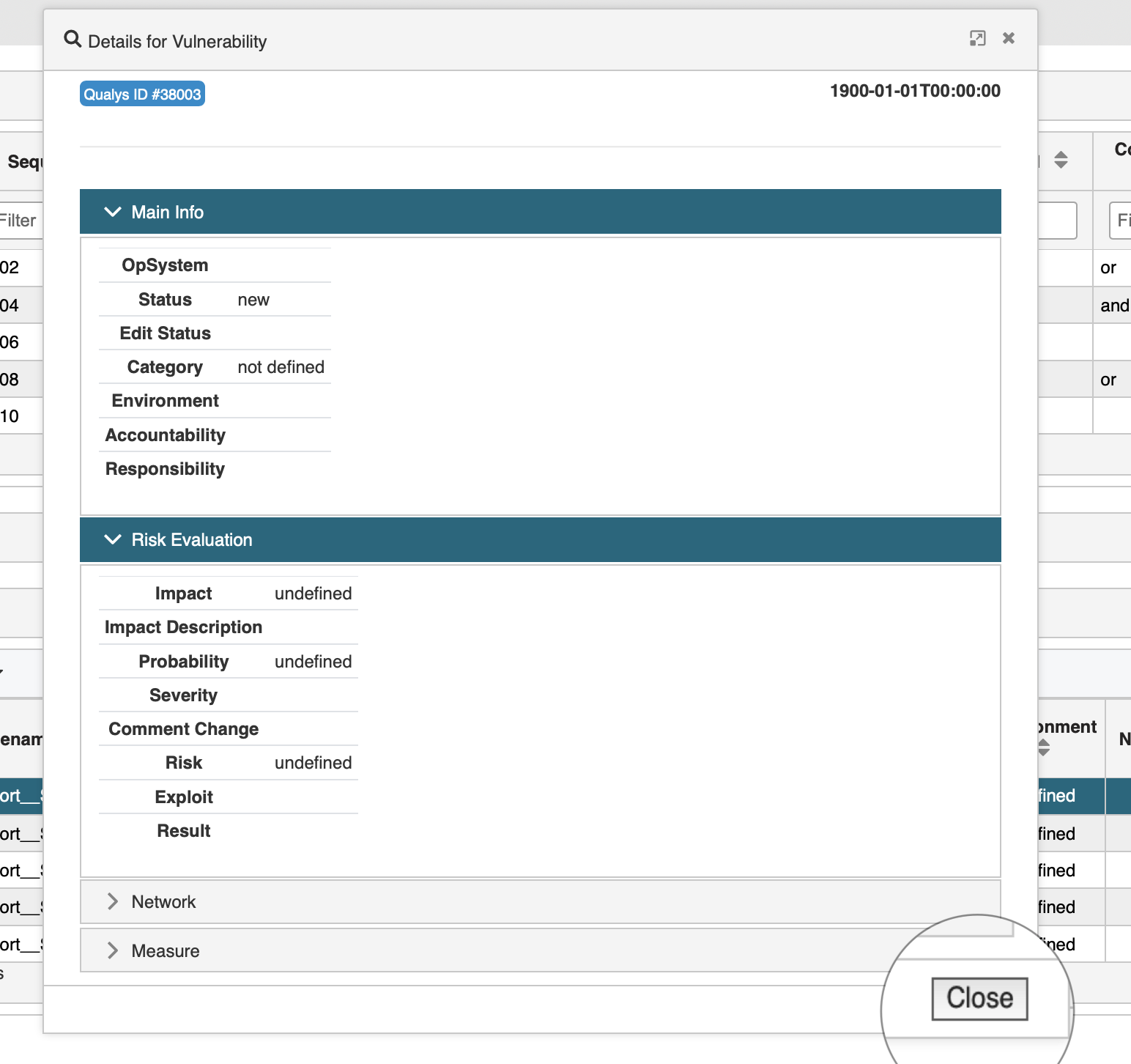
The overview categorizes the alerts attributes in Main Info, Risk Evaluation, Network, and Measure. Using this view you gain a much more clear and compact insight into details. In addition you immediately see which attributes are still empty and need to be populated. When done click the Close button to leave the view.
You cannot make any changes using this view. Once the records have been released to the Vulnerability module the records will be available for editing.
updated on: 5/9/2019 ⏐updated by: Wolfgang Stoettner ⏐ v1.0.1