
What types of templates are available?
There are several report template types geared towards various purposes. These are:
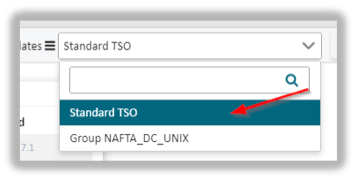
- Standard reports
- Group reports and
- User defined templates
Standard reports inform about the current situation with regards to vulnerabilities. Changes to these reports are not possible.
Group Reports
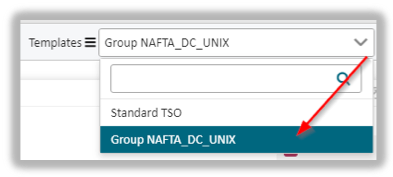 Reports that you have created yourself can be saved here in order to make them available to the members of another responsible group.
User Defined Templates
For templates that you defined for yourself you proceed as mentioned before.
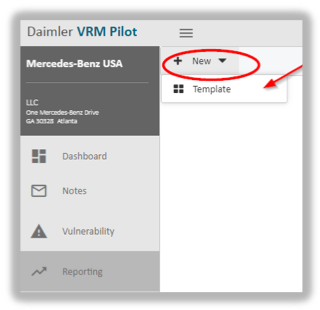
You are prompted to provide a template name.
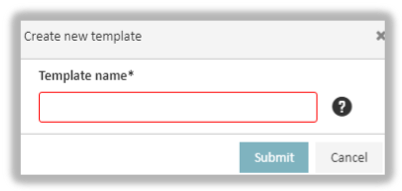
After you have entered a name and confirmed it by hitting Submit you find the user defined template under the header.

You use this user defined template to generate and save your own reports. You start the creation by clicking New in the upper left corner.

To administer and change settings to reports you resort to the gear button next to the template name.
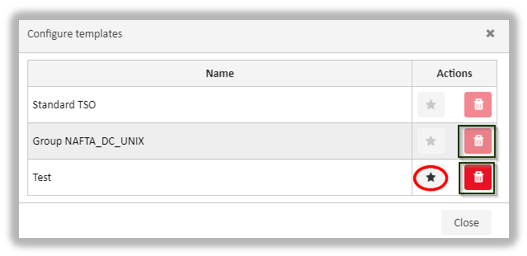
You are prompted with the following window: The star icon indicates a report marked as a favorite. When reopening the report module any reports marked as favorite are placed in a prominent place to make them easier accessible.
 Note: only templates you have created yourself can be deleted.
updated on: 5/9/2019 ⏐updated by: Wolfgang Stoettner ⏐ v1.0.1