
User management
This module serves as the management platform to adding, updating and removing users.
 Note: proper role authorization is required to view, edit or change any data within this module. In case you do not see the described module please approach your system administrator or authorization contact.
To add users populate the fields login name (case sensitive), first and last name, department, and email address.
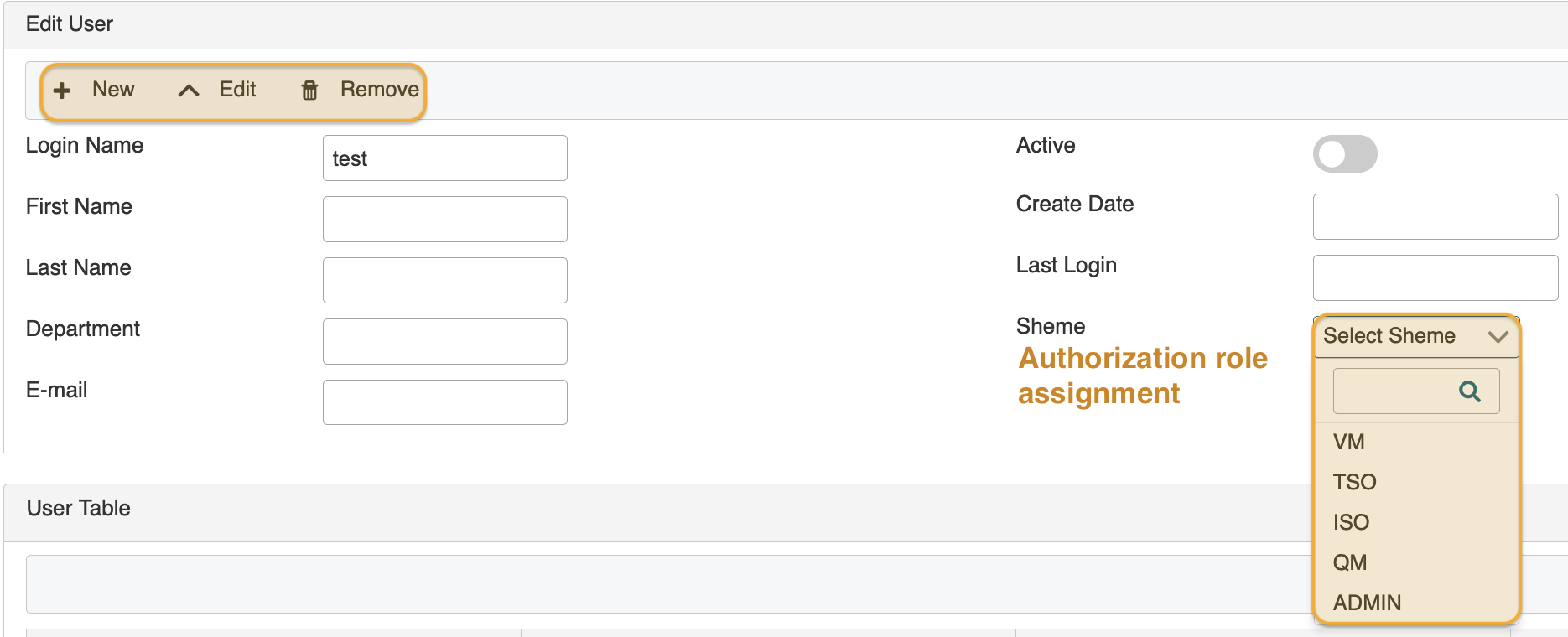
You may set the user account to inactive as deemed fit.
 Note: field Shema assigns a predefined authorization role set to the user that provides readily configured access and view/edit rights for modules. You will need to select one for each new user.
Authorization roles include:
- vulnerability management (VM)
- technical system owner (TSO)
- (ISO)
- quality manager (QM)
- administrator (ADMIN)
updated on: 5/9/2019 ⏐updated by: Wolfgang Stoettner ⏐ v1.0.1